Multi Image Tracking ARFoundation
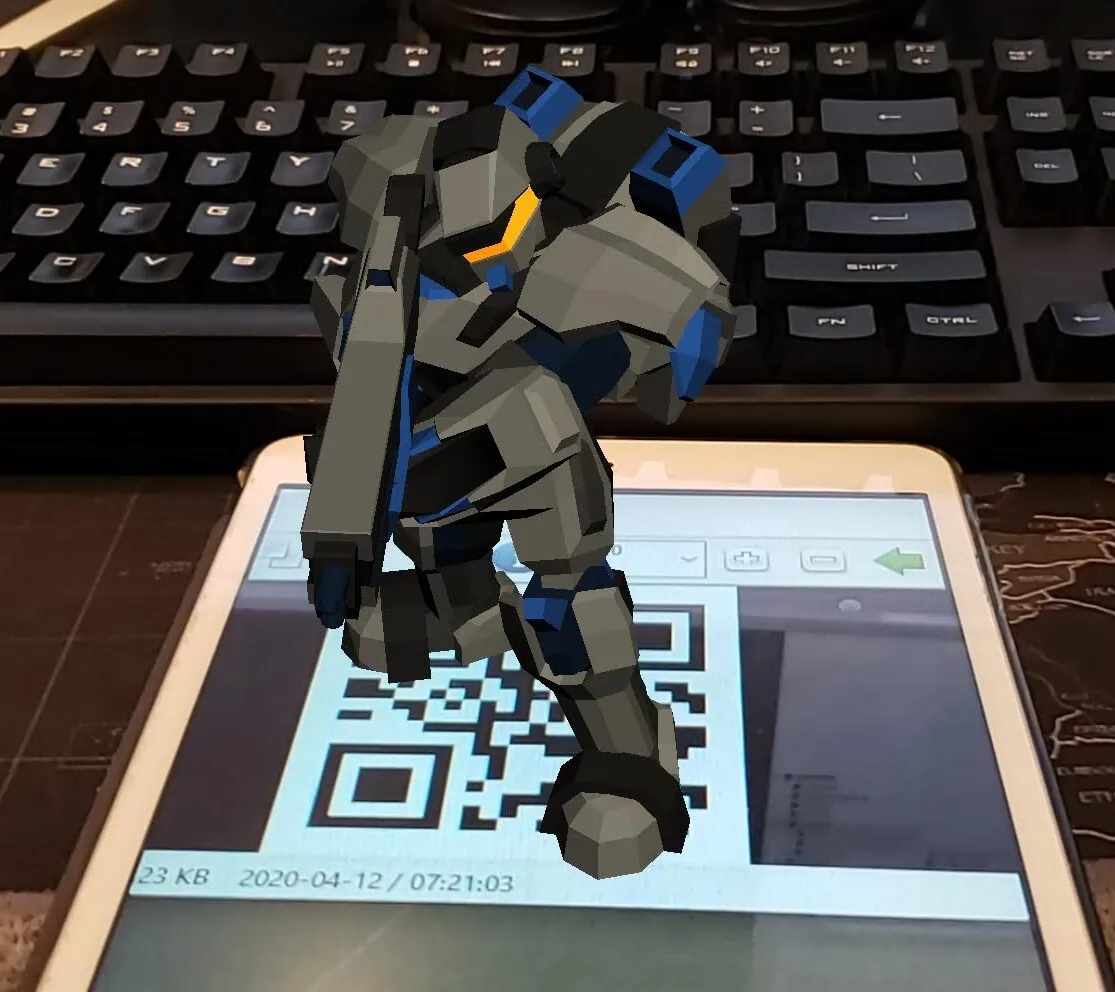
Background
Augmented Reality is a technology that has really taken the world by storm. I was fortunate enough to have worked on some AR apps early in my career, and it’s been amazing watching how Unity has evolved into one of the de facto engines for building MR content.
Back in 2014, I used Unity and Vuforia to do basic image tracking and display a 3D model in AR. Nowadays, we’re spoilt with a host of amazing free tools built right into Unity!
AR Foundation
AR Foundation is Unity’s framework that provides high-level AR functionality. Instead of working directly with ARKit (Apple) and ARCore (Android), we can use a single framework while being able to deploy to both Android and Apple. More info here.
Goal
I wanted to replicate what I did using Vuforia in the past, but using AR Foundation instead.
- Have a bunch of QR codes as reference images (“markers”)
- Display a 3D model once the marker is scanned
Result
The scene is made up of:
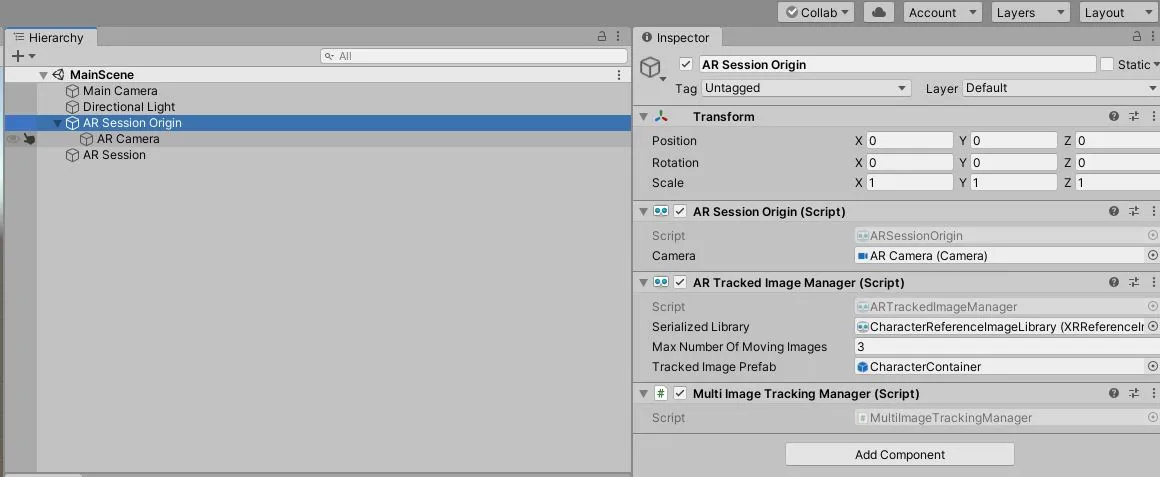
- The
ARTrackedImageManagerdoes all the heavy lifting. - You provide it with a
ReferenceImageLibrary, which contains the images you want to use as markers (QR codes in my case). - Provide it with a
Prefabthat will be spawned once the marker is tracked. - Example: map the GUID for each image in the
XRReferenceImageLibraryto aGameObject— in this specific example, order matters. Then, once thetrackedImagesChangedevent is raised on theARTrackedImageManager:
// activate an image that was added
foreach(ARTrackedImage image in obj.added)
{
    GameObject characterPrefab;
    if(TryGetCharacterPrefab(image.referenceImage.guid, out characterPrefab))
    {
        GameObject spawndedCharacter = Instantiate(characterPrefab,
        image.transform.position,
        image.transform.rotation);
        this.m_SpawnedCharacters.Add(image.referenceImage.guid, spawndedCharacter);
        spawndedCharacter.SetActive(true);
    }
}

// tracking has updated
foreach (ARTrackedImage image in obj.updated)
{
    if(image.trackingState == TrackingState.Tracking)
    {
        // update tracked image's position and rotation
        if (TryGetSpwanedCharacter(image.referenceImage.guid, out spwanedCharacterGO))
        {
            spwanedCharacterGO.transform.SetPositionAndRotation(
                image.transform.position, image.transform.rotation);
        }
    }
    // image is no longer tracked, disable
    else
    {
        if (TryGetCharacterPrefab(image.referenceImage.guid, out spwanedCharacterGO))
        {
            spwanedCharacterGO.SetActive(false);
        }
    }
}
Future
There are some improvements I could make to this simple project:
- Better handling of when the image loses tracking
- Add some interaction, perhaps
Resources
- Documentation and a repo to help get started
- Assets used in the demo: